Accept the terms and finish the welcome steps
Right after your first sign-in, Kickstand asks you to accept its terms. Then a short run of welcome steps sets up your profile. You can skip everything except your name and finish the rest later.
Accept the terms
Section titled “Accept the terms”- After you sign in, you see Before you ride.
- Read the Terms of Use and Privacy Policy. They cover how the app works, what we collect, and how your photos and location are used.
- Tick I have read and agree to the Terms of Use and Privacy Policy.
- Tap Continue. It stays gray until the box is ticked.
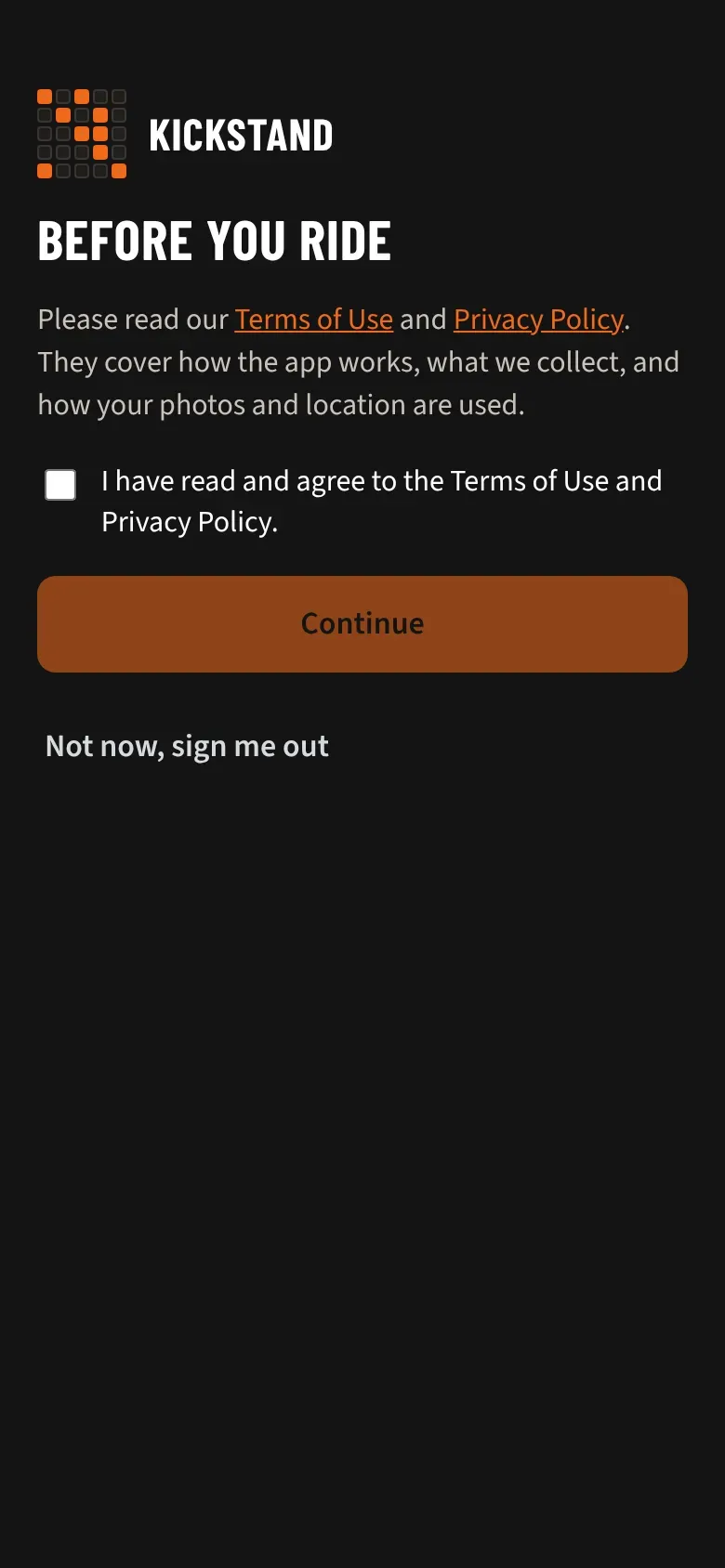
Not ready? Tap Not now, sign me out. Nothing else in the app opens until you accept.
When we publish a new version of either document, you see We updated our followed by the document’s name. Read the new version, tick the box, and tap Continue. You’re only asked about the document that changed.
The welcome steps
Section titled “The welcome steps”Each step shows “Step 1 of 5” and a progress bar. Tap Continue to save a step and move on.
- Welcome aboard. Type Your name. Road name (optional) is what riders call you. This is the only step you can’t skip.
- Your H.O.G. ID. Type it as it appears on your membership card, like US1234567. Continue stays gray until you type something, so tap Skip for now if you don’t have it handy. See Where to find your H.O.G. ID.
- Emergency contact. Fill in Name, Relationship, and Phone. This is a cell phone (we can text it) starts ticked. Tap Skip for now to do it later. See Your emergency contact and privacy.
- How you ride. Pick the Map app I use: Google Maps, Apple Maps, Waze, or H-D app. Pick Miles I’m up for in a day: 300, 400, 500, 600, or type your own under Other. Tap Skip for now to leave both for later.
- Join your chapter. Type the Invite code, or find it already filled in if you came from your chapter’s link. Tap Finish. Not yet? Tap I’ll join later.
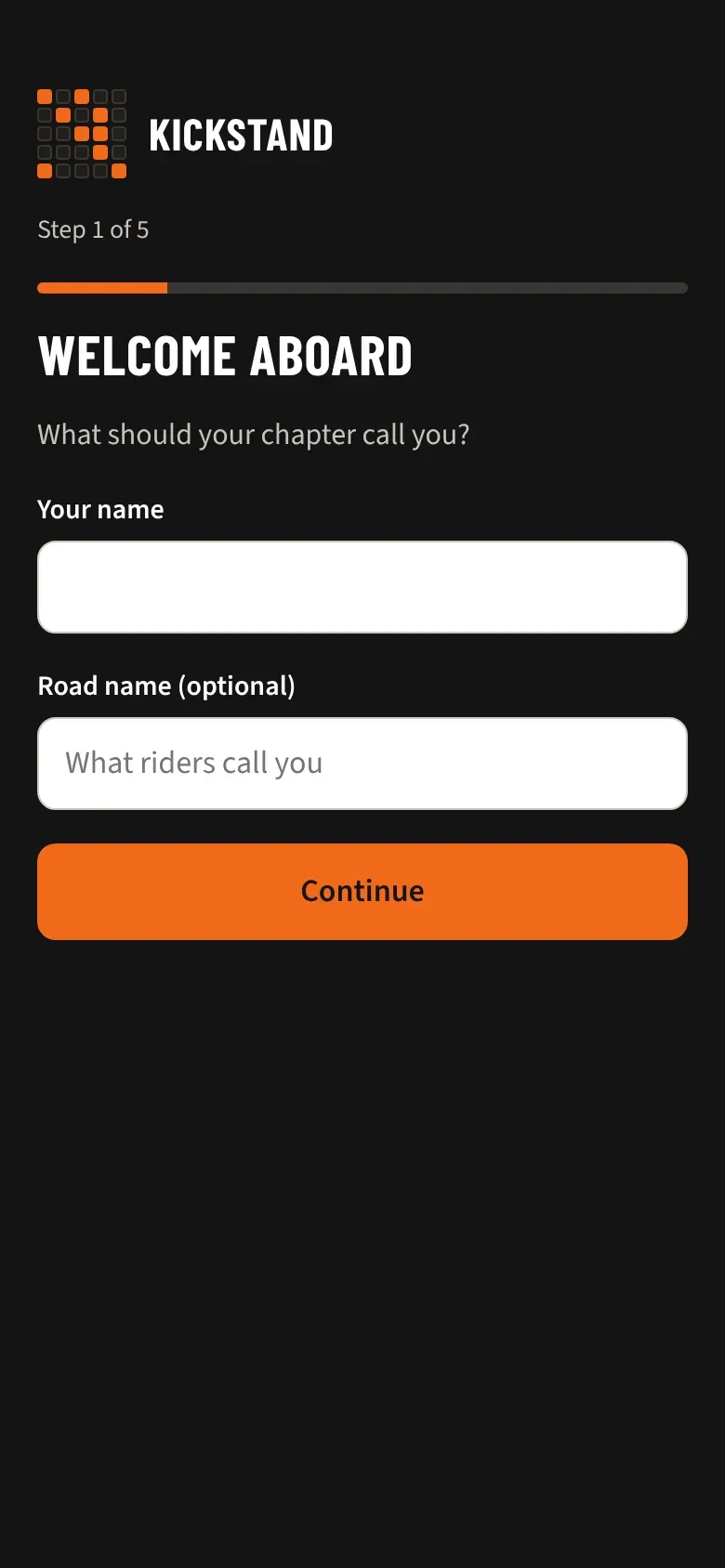
On the last step the main button reads Finish instead of Continue. Tap it and you land on Home.
Good to know
Section titled “Good to know”- Step 5 only appears if you aren’t in a chapter yet. If you are, there are 4 steps and Finish is on How you ride.
- If your chapter approves new members, step 5 tells you “Request sent. A chapter officer will approve you soon.” You can still finish the steps. See Joining your chapter.
- Skipped your H.O.G. ID or emergency contact? Home keeps a reminder until each is on file. Nothing is blocked while you wait.
- A step that doesn’t save shows a message. You can skip it and fix it in your profile.
- Close the app halfway and the steps start over from step 1 next time. Anything you already saved stays saved.
- You’ll see these steps once. After that, change anything in your profile. See Your profile and settings.