Choose a plan and pay for it
A plan covers the whole chapter, every member included, for a year. Only chapter officers can pay, upgrade, or manage billing.
- Challenge plan, $99 a year. Ride challenges: bingo or list cards, photo check-ins with a GPS hint, the review queue, leaderboards and pace, the ride planner, printable PDF cards, the national challenges, and the place library.
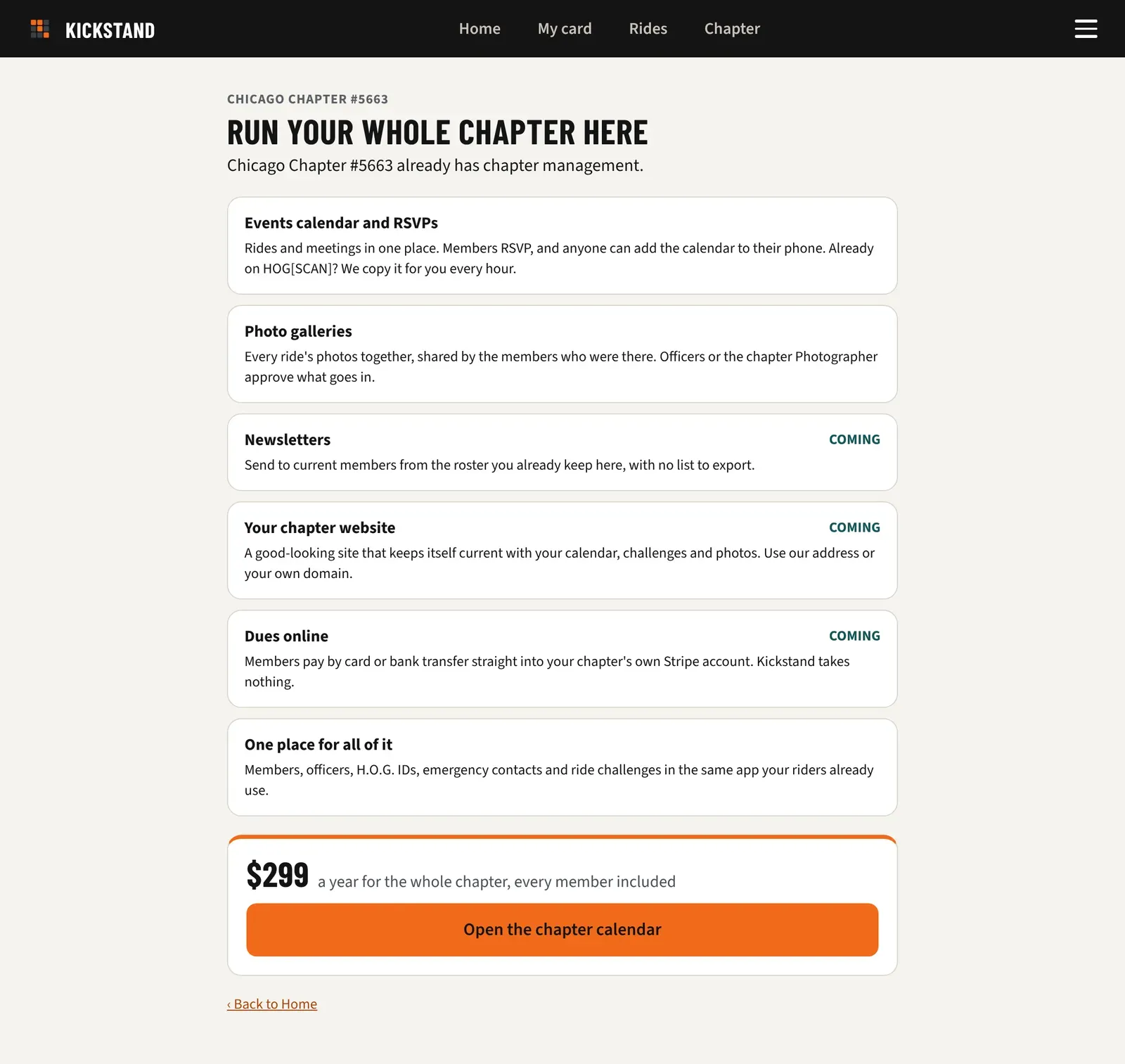
- Chapter Platform plan, $299 a year. Everything in the Challenge plan, plus chapter tools. The events calendar with RSVPs and photo galleries are live. Newsletters, a chapter website, and dues online are marked COMING on the upgrade page.
Challenge-plan chapters that haven’t paid online keep working. Nothing in your challenges switches off.
Pay for the Challenge plan
Section titled “Pay for the Challenge plan”- Open Chapter console, then Chapter settings, and scroll to Plan and billing.
- Tap Pay $99 a year. You land on Stripe’s secure page to pay. Card details never touch Kickstand. Stripe may also ask for your chapter’s billing address and, if your chapter has one, a business tax ID.
- Back in the app, the card says “Thanks! Your payment went through.” If it says Stripe is confirming, wait a few seconds. It updates on its own.
Upgrade to the Chapter Platform plan
Section titled “Upgrade to the Chapter Platform plan”- In Plan and billing, tap See what the Chapter Platform plan adds. Or tap Upgrade: calendar, website, dues under Chapter management in the console sidebar.
- Haven’t paid for the Challenge plan yet? Tap Upgrade for $299 a year and pay on Stripe’s page.
- Already paying $99? Tap Upgrade to the Chapter Platform plan and confirm. Stripe charges the card on file the difference for the time left. Your renewal date stays the same.
- If the card doesn’t go through, you see “The card on file didn’t go through.” Your plan stays as it was. Update the card in Manage billing, then try again.
What the Plan and billing card says
Section titled “What the Plan and billing card says”- “Challenge plan, $99 a year.” with a pay button: not paid online yet.
- “Challenge plan, $99 a year. Paid online, renews (date).”
- “Chapter Platform plan, $299 a year. Set up by Kickstand.” Your plan was set up for you, so there’s nothing to pay here.
- “Chapter Platform plan, $299 a year. Paid online, renews (date).”
Manage billing
Section titled “Manage billing”Once your chapter has paid, Manage billing appears on the card, and on the upgrade page for Platform chapters. It opens Stripe’s billing page, where you can update your card or cancel anytime. If a paid plan ends, the chapter goes back to the unpaid Challenge plan.
Good to know
Section titled “Good to know”- The price is the price: $99 or $299 a year. We don’t charge sales tax today. If that ever changes for your state, Stripe’s page shows the tax before you pay.
- If online payment isn’t switched on yet, the card says “Online payment opens soon.” Email hello@getkickstand.app with questions. The upgrade page says the same and offers the same email.
- Members who aren’t officers see “Only chapter officers can upgrade” on the upgrade page, with Email your director and Copy the note. The note is already written. See Set up your chapter for the Chapter contact email it goes to.
- Calendar and Photos ask for the Chapter Platform plan. Everything else works on the Challenge plan.