The chapter calendar
Your chapter’s rides, meetings, and events are on the calendar. Say if you’re going so road captains and restaurants know how many to plan for.
The calendar comes with the Chapter Platform plan. If you don’t see the Chapter calendar and Photos buttons on Home, your chapter isn’t on that plan. Ask your officers about it.
Find an event
Section titled “Find an event”- On Home, look under Coming up. It shows the next three events. Tap one to open it.
- To see everything, tap Chapter calendar. Events are grouped by month.
- Tap Past to see what you missed in the last six months. Tap Coming up to come back.
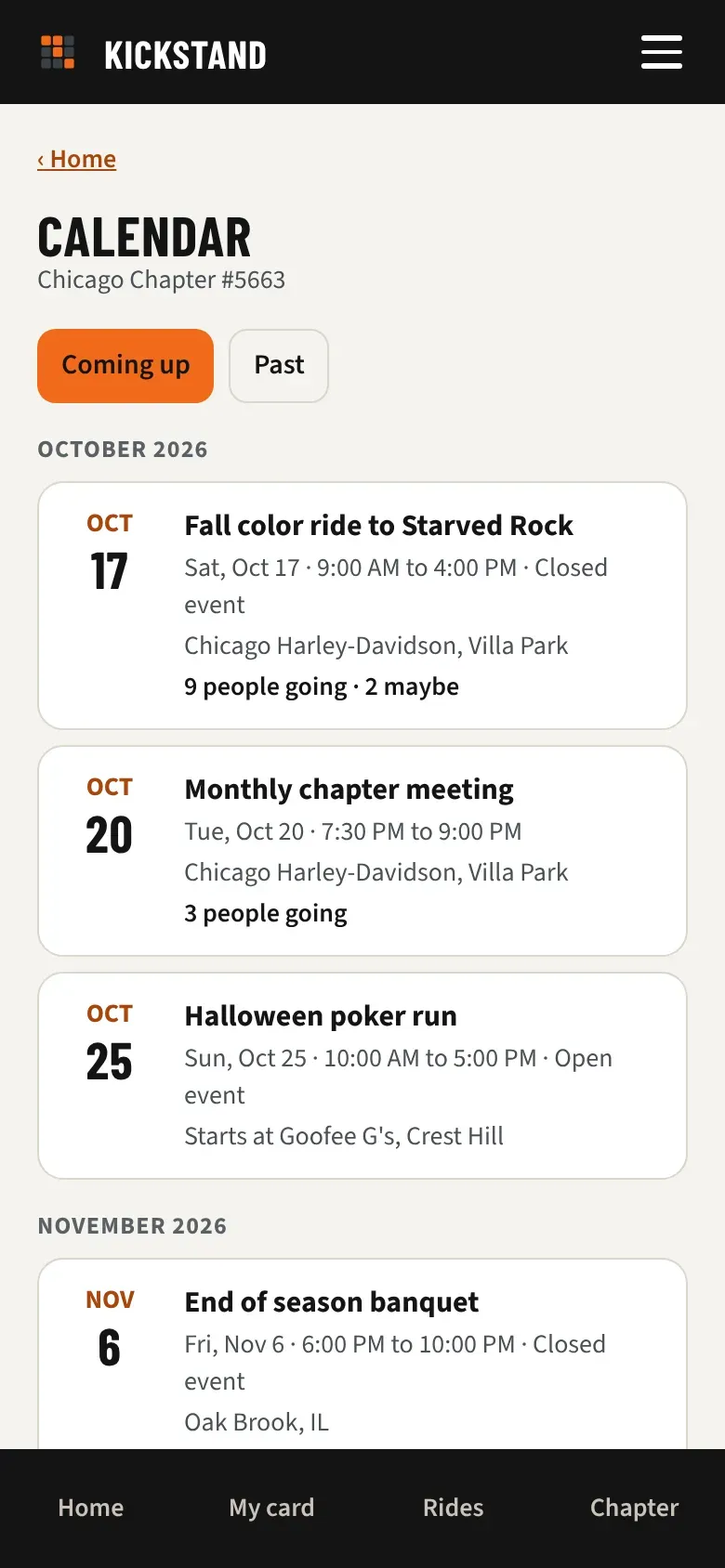
Each row shows the date, the name, the time, the place, your own answer, and how many people are going. If your officers have said whether the event is open or closed, the row says Closed event or Open event after the time. Cancelled events stay on the list, crossed out and marked Cancelled, so nobody rides to an empty parking lot.
Open and closed events
Section titled “Open and closed events”H.O.G. asks chapters to say whether each activity is open or closed. When your officers have marked an event, its page shows the label under the date and time, with this sentence beside it:
- Closed event. “Closed events are those events open to chapter members and one guest per member.”
- Open event. “Open events are those chapter events open to chapter members, National H.O.G.® members and other guests as desired.”
On a closed event you can bring one guest. On an open event you can bring up to 10. An event with no label yet works like an open one for the guest picker, until the officers mark it. The label also shows at the top of the event’s notes in your phone calendar.
Tell the chapter you’re going
Section titled “Tell the chapter you’re going”- Open the event. You see when, where, and the details. Tap the place to see it in Google Maps, or More details if the officers added a link.
- Under Are you going?, tap Going, Maybe, or Can’t go. Your answer is highlighted.
- Bringing a passenger or a friend? After you tap Going, pick a number under Bringing guests (riders or passengers)? On a closed event the question reads Bringing a guest (rider or passenger)? and the choices are 0 and 1.
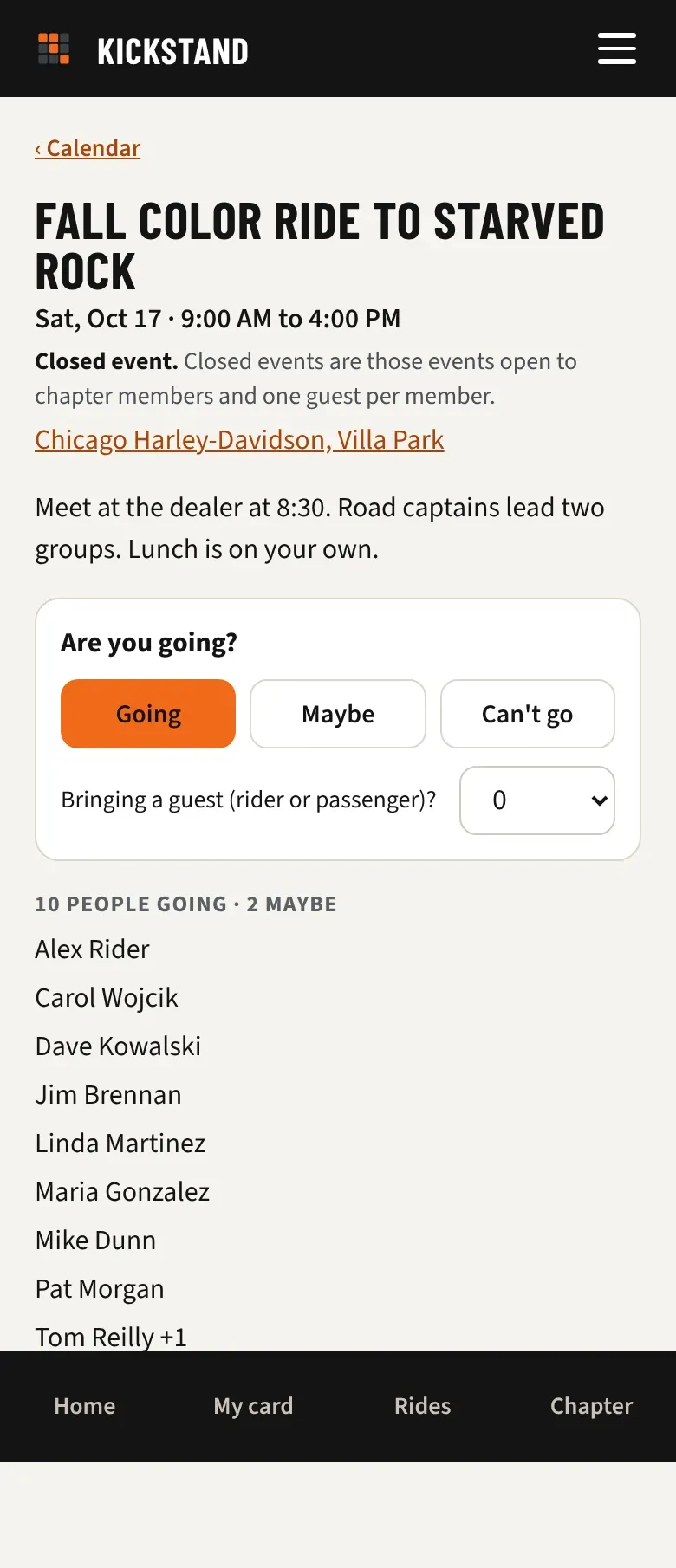
Under the buttons you see who is going, with a count like “+2” for guests, and who said Maybe. Other members see riders by full name or initials, like a sign-up sheet at the meeting, plus a line such as and 3 others for riders who asked to be only counted. Guests are never named. People who tapped Can’t go are not listed. You can change your answer until the event is over. Cancelled and finished events don’t take answers.
Choose how your name shows
Section titled “Choose how your name shows”You can answer and decide how other members see you: Full name, Initials (like S. S.), or Nothing (just counted).
- Open Profile and find the About you card.
- Set On event RSVP lists, show me as to the one you want, then tap Save.
It starts on whatever your chapter uses, and your pick wins over it, whether that shows more or less. With Nothing, you are still counted in the totals, just not named. Your chapter’s officers always see who answered, so they can plan the ride and look after everyone. You always see your own name in full.
Put the calendar on your phone
Section titled “Put the calendar on your phone”- On Chapter calendar, scroll down and tap Put this calendar on your phone.
- Tap Subscribe on this device.
- For Google Calendar, tap Copy the calendar link. Then, in Google Calendar on a computer, choose Other calendars, +, From URL, and paste it.
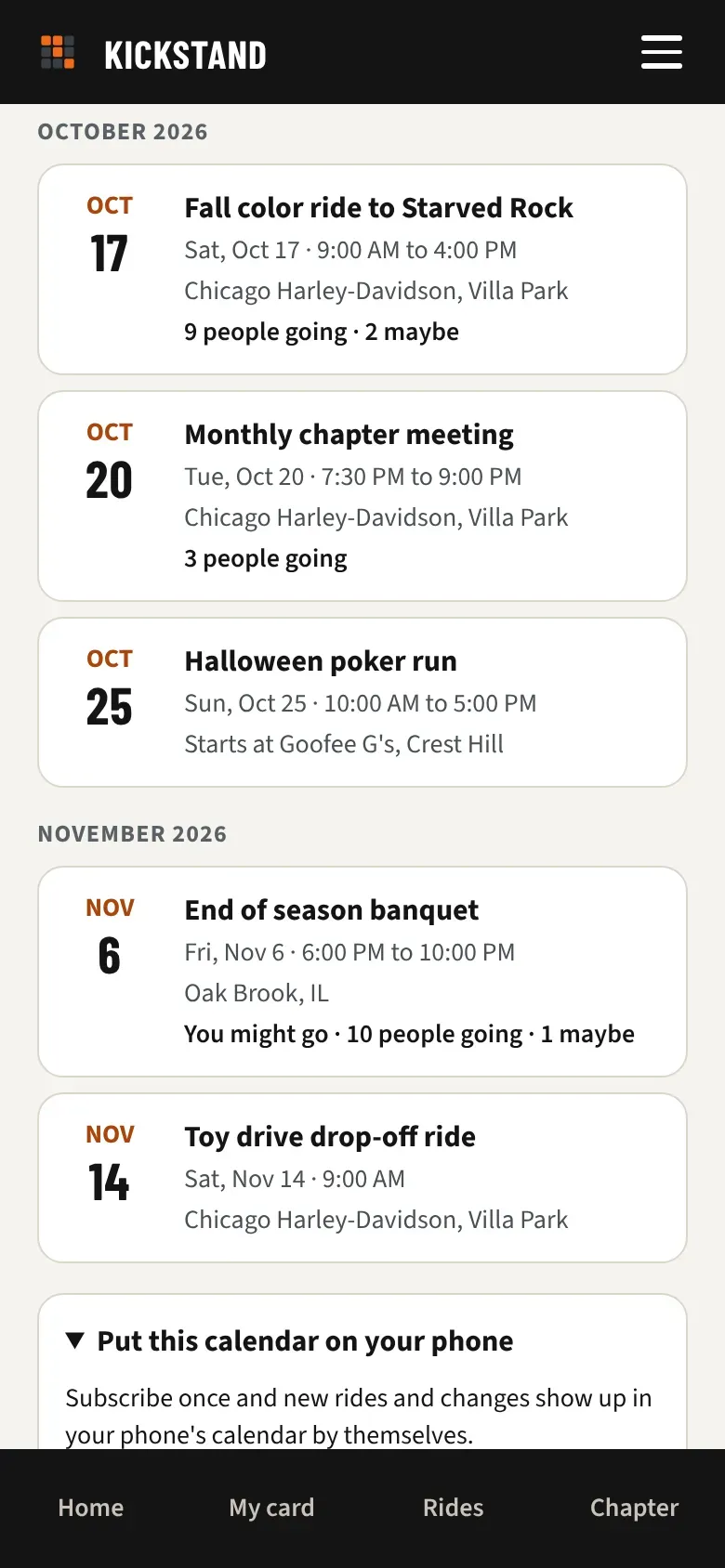
New events, changes, and cancellations show up by themselves. Calendars check every few hours, so a last-minute change can take a while to appear. The event page in the app is always current.
Good to know
Section titled “Good to know”- Using a different calendar app? Copy the calendar link and look for its option to add a calendar from a link.
- The app shows every time in your chapter’s time zone. Your phone’s calendar shows the same moment in your phone’s own time zone.
- Keep the calendar link within the chapter. Anyone who has it can see the events (not who is going).
- Some chapters keep their calendar on another website. Those events show here too, marked “From your chapter’s other calendar”, and you can answer them like any other.
- Officers add and change events. See Run the chapter calendar.