For dealerships: Dealer Visits and your report
Kickstand has no separate dealer app. A dealership shows up in four ways, and it only sees something in the app if our team added it as a sponsor contact or a chapter officer approved its staff.
How a dealership shows up
Section titled “How a dealership shows up”- As a sponsor. Our team sets you up as an H-D dealer sponsor and adds your contact’s email. You use the ordinary sponsor portal, and your ads run for the one chapter we chose. Chapters can’t create or link sponsors. See Using your sponsor portal.
- As a stop in Dealer Visits. Dealer Visits is a national challenge with one stop for each dealership on our list. Riders photograph themselves and their bike at your sign and tap Log this stop. See National challenges and Dealer Visits.
- As staff with view access to a chapter. Your chapter’s officers can approve your people by email. Dealer staff see what an officer sees, view only. See Give your dealership view access.
- As a chapter’s sponsoring dealer. A chapter’s officers type your name, short name, and address into their own Chapter settings. Rides start at that pin. This doesn’t make you a sponsor and doesn’t give you a login.
How riders are pointed to your dealership
Section titled “How riders are pointed to your dealership”- Plan my rides: a ride’s Worth the detour box lists dealers near the route, marked “Dealer”, with “right on your way” or “9 mi off your route, about 18 mi extra”. A rider taps Add to put you in the ride. Riders set how far off the route to look (30 mi to start) and how many to suggest (3 to start).
- A stop page: a line like “Also nearby: Your Dealership (Dealer Visits), about 12 mi ›” links to your stop.
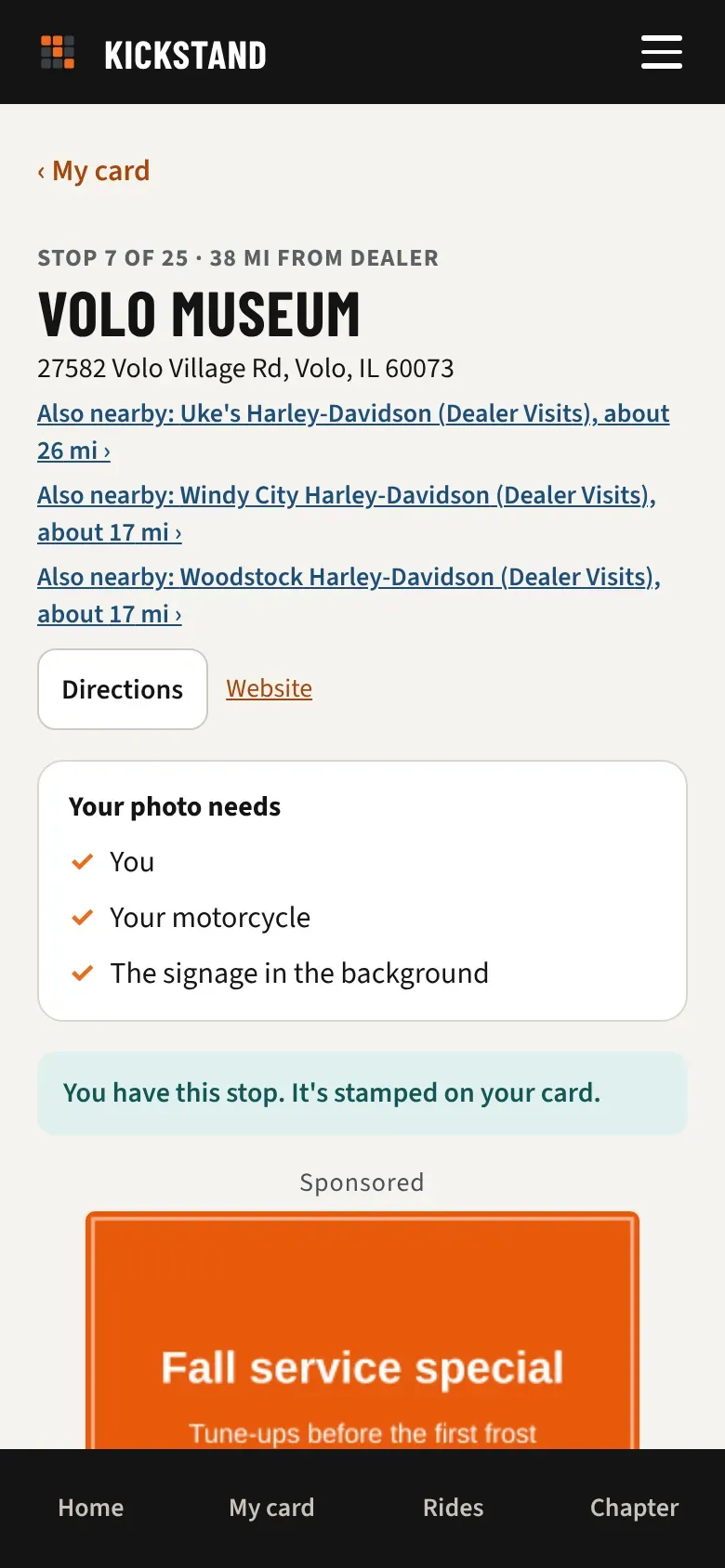
A rider isn’t pointed to a dealership they have already logged or sent in for review, and the planner leaves out dealers within a mile of where the ride starts. Officers can hide national challenges for their chapter, and then the Also nearby lines go away.
What counts as an impression
Section titled “What counts as an impression”Each time the app offers your dealership to a rider in one of those two places, it counts. This is true for every dealer on the list from day one, sponsor or not, so there is history before you join. Repeat offers to the same rider count too. Building a plan counts. Downloading its GPX doesn’t. Also nearby counts when a rider opens a challenge’s card or stop page and you are within their distance of one of its stops.
Read your report
Section titled “Read your report”If our team linked your dealer sponsorship to your dealership, the portal shows Riders pointed your way. Without the link, it isn’t there. Ask through Contact us.
- Sign in at https://ride.getkickstand.app/partner.
- Find Riders pointed your way under your business name. It covers the last 90 days.
- Read the tiles:
- Times shown to riders: every offer, repeats included.
- Riders reached: different riders, each counted once.
- In a planned ride: offers as a detour. “Suggested as a detour.”
- On a nearby stop’s page: offers as Also nearby.
- Riders who visited: different riders who logged a photo at your dealership. “Logged a photo here.”
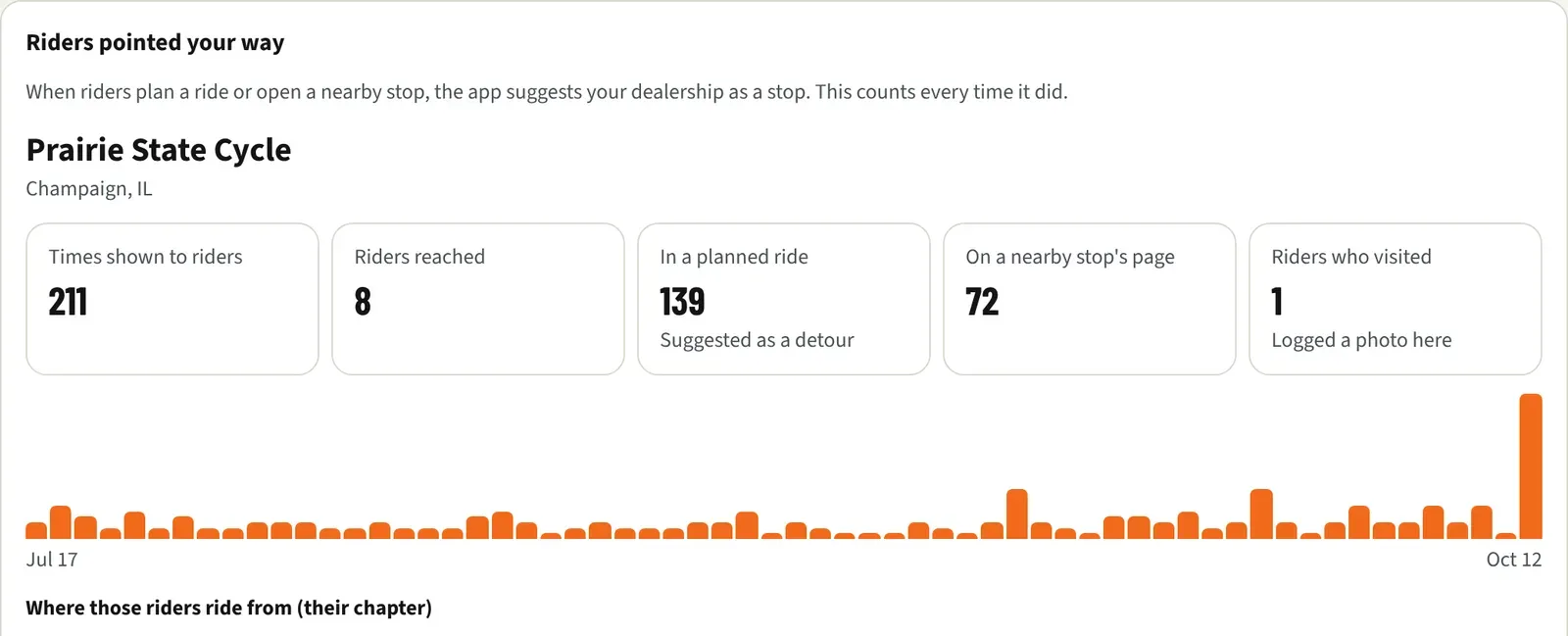
- Look at the bars. Each bar is a day with offers, and the first and last dates sit underneath. Hover over a bar to read “Oct 3: shown 12 times to 4 riders”. With no offers yet, you see “No offers in this period yet.”
- Under Where those riders ride from (their chapter), riders are counted by chapter, most first. Chapters with fewer than 3 riders are grouped as “Other chapters”, so no rider is singled out. A rider’s chapter is the first active chapter they joined. You never see names.
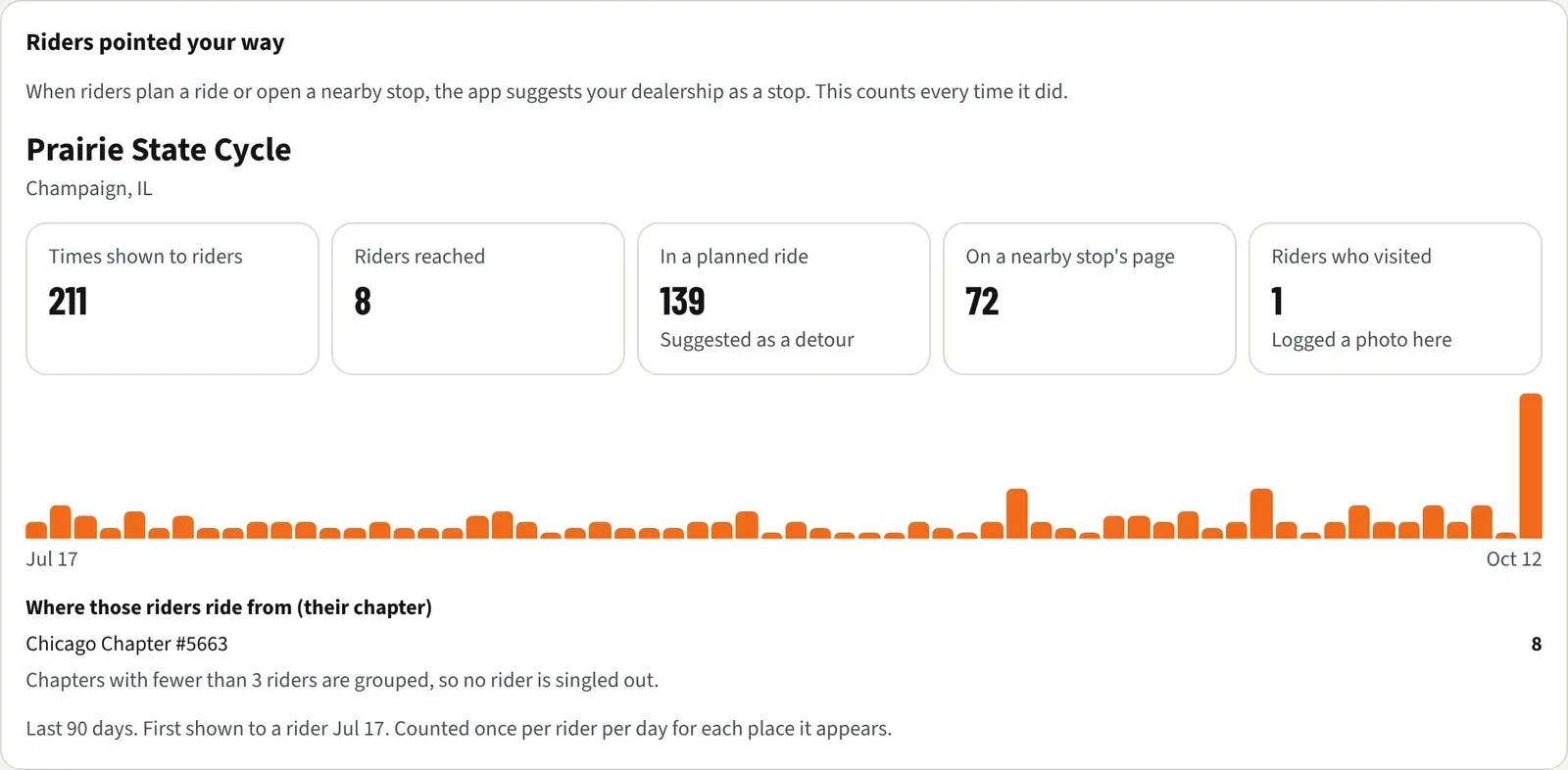
The line at the bottom gives the period and “First shown to a rider” with a date.
Fix your dealership’s name or address
Section titled “Fix your dealership’s name or address”Our dealer list starts from public map data, so a name or address can be out of date, and a dealership can be missing. Each night the app checks a few dealers against Google Maps and flags renamed, closed, or moved ones. Nothing changes until our team reviews it. The top of your report shows the name and town we have. If something is off, click Contact us in your portal, or email hello@getkickstand.app, with the correct name and address.