The leaderboard and your pace
Tap Chapter in the bottom bar to see how your chapter is doing in the challenge you opened last. The page is called Chapter dashboard, with the challenge name under it.
What’s on the page
Section titled “What’s on the page”- Four tiles: riders with a stop, approved visits, finished all 25 (the number is your card’s stop count), and days left. The last one shows only for an open challenge with an end date.
- Your pace, if the challenge has started and you’ve joined it.
- The Leaderboard.
- Riders who’ve visited each stop.
The leaderboard
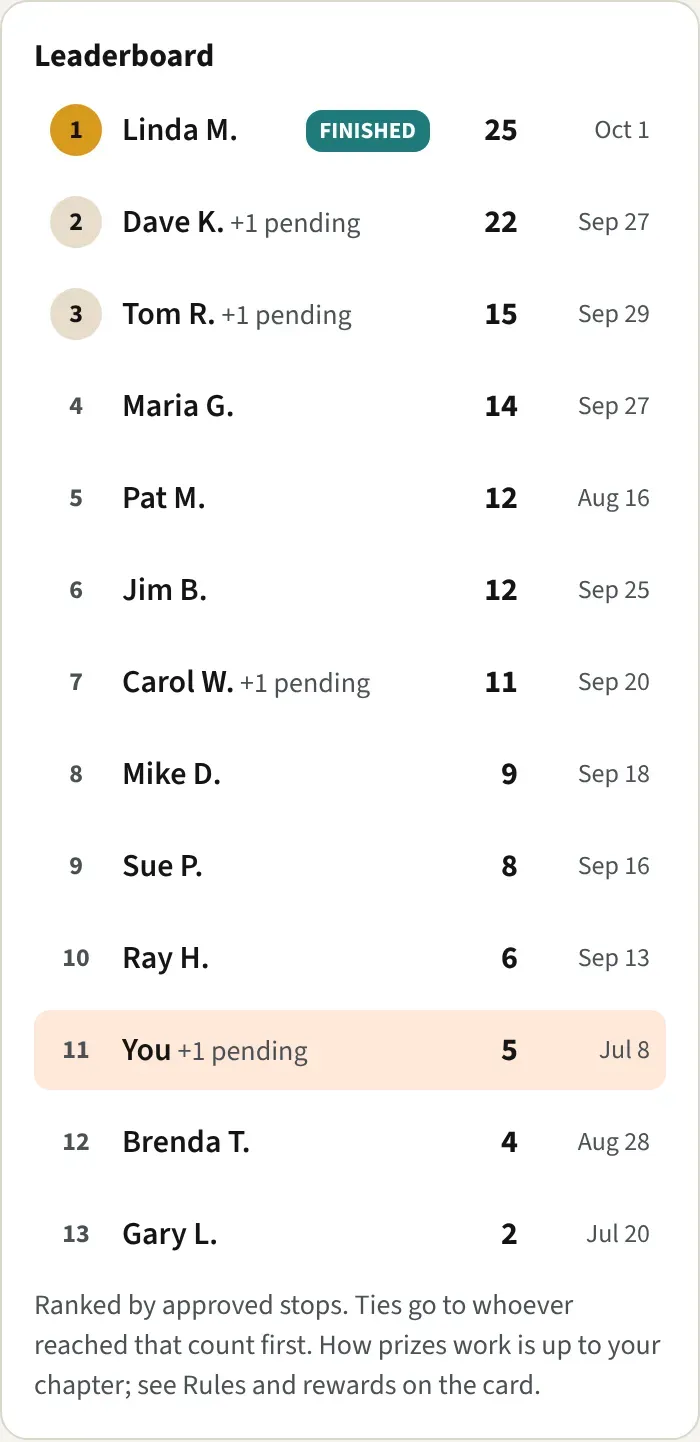
Section titled “The leaderboard”- It ranks riders by approved stops. If two riders have the same number, the one who reached it first ranks higher. That is the credit date of their latest stop, then the time they sent the photo.
- On the right of each row you see the stop count, then the credit date of that rider’s latest stop.
- Your own row says You and is tinted.
- +2 pending next to a name means photos still waiting for review. They count once they’re approved.
- A teal FINISHED tag means every stop is approved.
- Riders show up after their first approved stop.
- The leaderboard doesn’t decide prizes. Your chapter does. Check Rules and rewards on your card.
Your name on the leaderboard
Section titled “Your name on the leaderboard”Open your profile and find On leaderboards, show in About you. Choose My full name, First name and last initial, or Keep me off the public leaderboard (I still compete). Then tap Save. With the last choice, other riders see “Rider (private)” on your row, and you still rank. The leaderboard uses the Name on your profile, not your Road name.
Your pace
Section titled “Your pace”The Your pace card compares your approved stops with an even pace that finishes every stop on the last day. It says something like “5 of 25 stops · on an even pace you’d have 8 by now”.
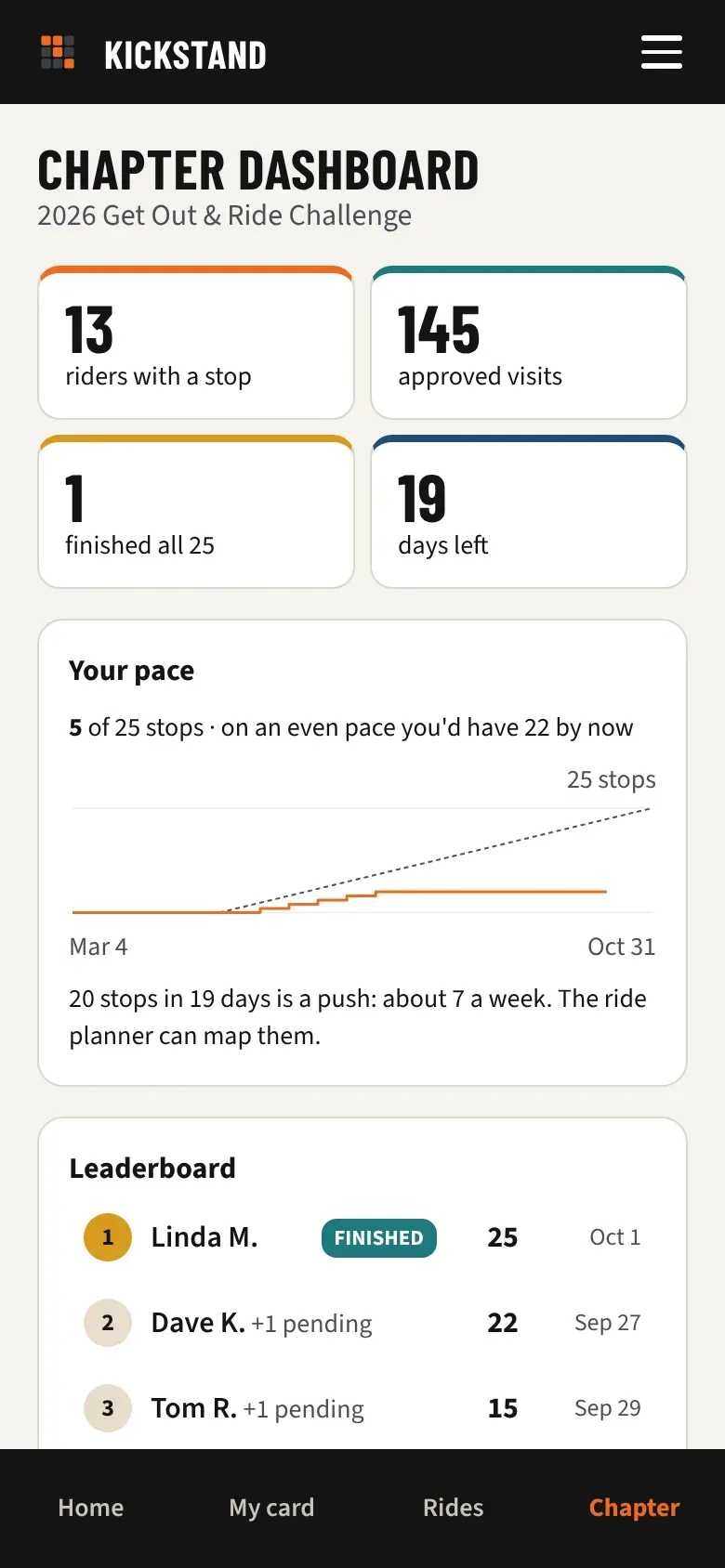
- The solid orange line is your stops, by credit date. The dashed line is the even pace.
- If you joined late, the dashed line starts the day you joined.
- The sentence under the chart tells you where you stand: “You’re ahead of pace.” or “You’re right on pace.” (level with the dashed line, or one stop under it), or “You’re a little behind pace.” A bigger gap reads like “12 stops in 20 days is a push: about 4 a week. The ride planner can map them.”
- On the last day it says how many stops are left. After the season it shows where you ended. When you’ve finished, it says “You’ve finished every stop. Nice riding.”
Riders who’ve visited each stop
Section titled “Riders who’ve visited each stop”This list shows the stops riders have visited most, with a count and a bar. Tap See all N stops for the whole card, then Show fewer to fold it back.
Good to know
Section titled “Good to know”- Officers see more on this page: the finishers with Copy list, when riders send photos, and each rider’s stops with credit dates. See The officer dashboard.
- If you’ve just opened a national challenge, Chapter may show that challenge’s leaderboard for your chapter, with no pace chart. Tap Home to point the tabs back at your chapter’s challenge.