Ad specs and the review process
Every ad you upload is reviewed by the Kickstand team before riders can see it. The upload form says so: “We review every new ad before it runs, usually within a business day.” This page covers the sizes, the upload form, and what happens after you click Upload.
Sizes and image rules
Section titled “Sizes and image rules”Pick one of four sizes. Your image must be exactly that size, or exactly double it so it looks sharp on phones.
| Size (pixels) | Or double |
|---|---|
| 320 x 50 | 640 x 100 |
| 300 x 250 | 600 x 500 |
| 728 x 90 | 1456 x 180 |
| 300 x 600 | 600 x 1200 |
- JPG, PNG, GIF, or WebP, 150 KB or less.
- Animated GIFs run 30 seconds or less in total, then stop on the last frame. They can’t loop forever, can’t go faster than 5 frames per second, and can’t flash.
- Say who the ad is from, and keep the text readable at its size.
Upload an ad
Section titled “Upload an ad”- Sign in and open https://ride.getkickstand.app/partner. Under Your ads, click Upload an ad.
- Type an Ad name (2 to 80 characters) so you can spot it later.
- Add a Campaign (optional) name if you want to group ads, such as “Fall leather sale”.
- Under Is the ad about any of these?, leave None of these unless your ad is about a bar or brewery, firearms training or a concealed-carry class, a casino, or a motorcycle attorney or insurance. Each choice shows its limit. Those ads can be approved only as Approved (limited).
- Pick the Size. It starts on 300x250.
- Under Image, choose your file.
- Type the Link (https://) riders go to when they click. It has to start with https://.
- Type a Describe the image (for screen readers) line, at least 3 characters. Say what the ad shows and who it’s from.
- Set Starts and Ends. Your ad can run from the start date through the end date. Starts begins on today’s date.
- Click Upload. Cancel closes the form without saving.
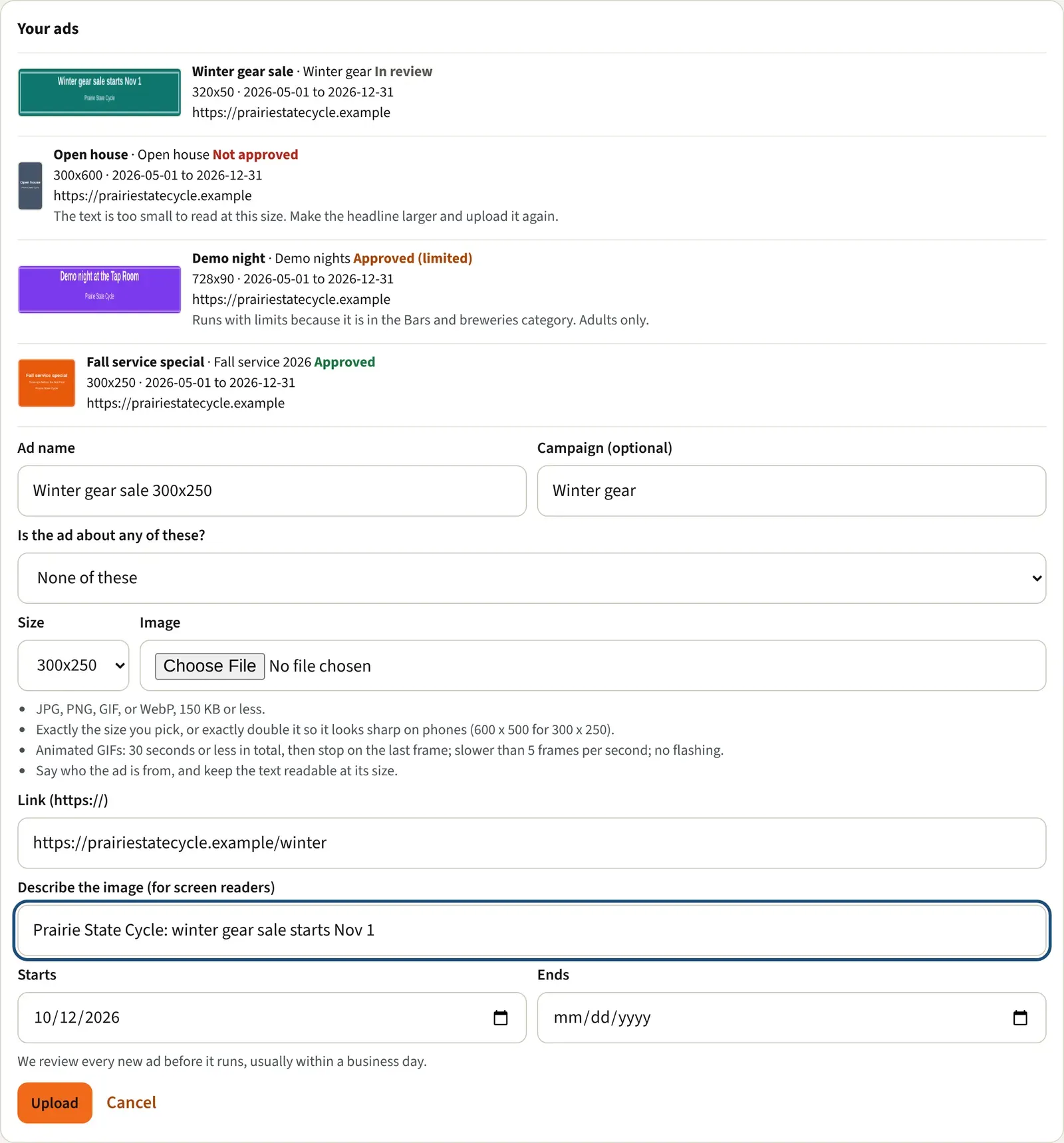
The form checks your image before it sends anything and tells you what to fix. You can see several problems at once:
- “The file is 212 KB; keep it to 150 KB or less.”
- “The image is 300 x 200; for this spot it needs to be 300 x 250 or 600 x 500.”
- “We couldn’t read that image. Use a JPG, PNG, GIF, or WebP file.”
- GIFs: “The animation loops forever; set it to stop on its last frame within 30 seconds.” Or “The animation runs 45 seconds; keep it to 30 seconds or less in total.” Or “The animation is faster than 5 frames per second; slow it down.”
- “Use an https:// link.” and “The end date must be on or after the start date.”
- “Check the ad name, size, link, description, and dates.” means one of those fields needs another look.
What the review statuses mean
Section titled “What the review statuses mean”Your new ad shows In review in Your ads until our team decides. Come back to the portal to see the result.
| Status | What it means | Riders can see it |
|---|---|---|
| In review | Waiting for our team. | No |
| Approved | Cleared to run. | Yes |
| Approved (limited) | Cleared, with the limits that come with a restricted category. | Yes |
| Not approved | We can’t run it. | No |
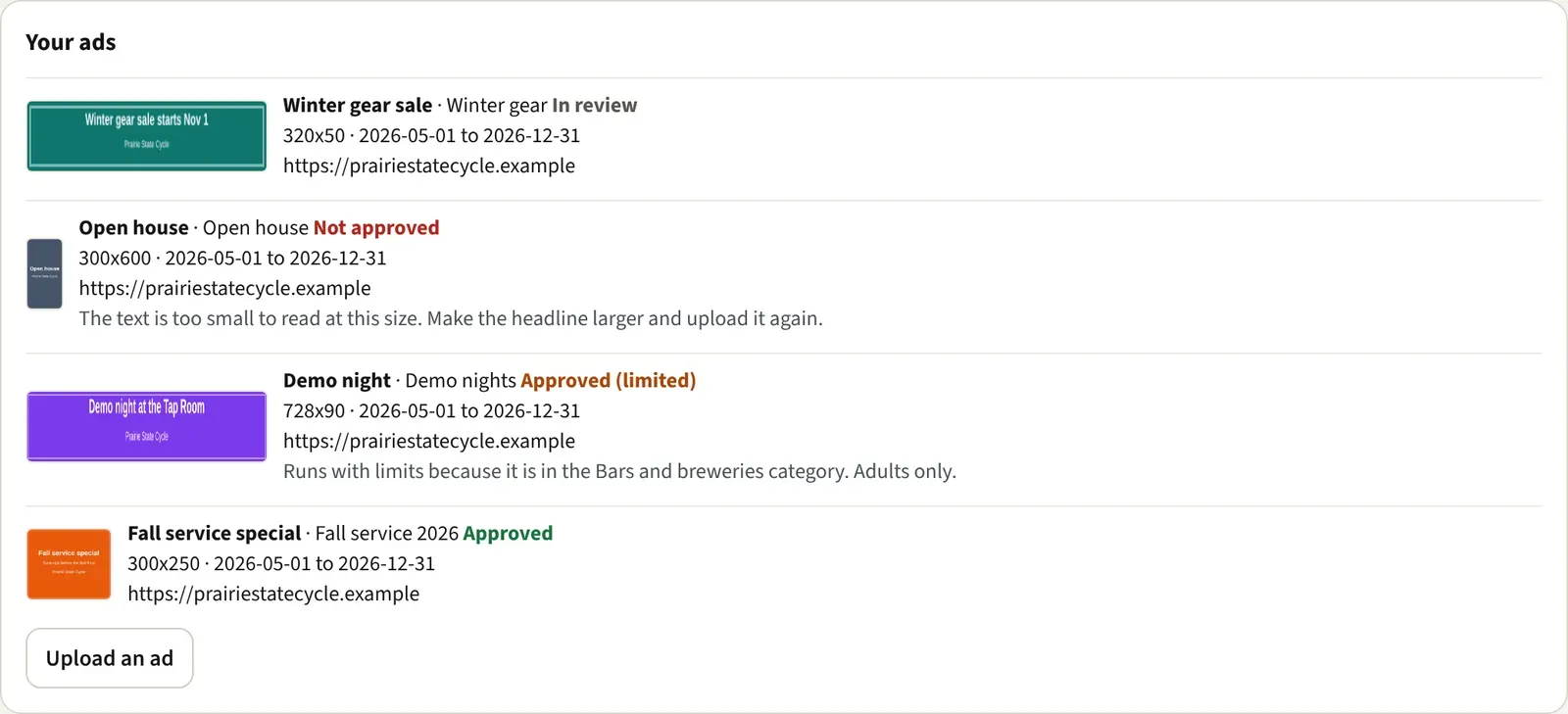
Approved ads show only between their Starts and Ends dates, and only while they aren’t paused. Approved (limited) and Not approved always come with a reason, in gray under the ad’s link.
Good to know
Section titled “Good to know”- Not approved? Read the reason, fix the image or link, and upload a corrected ad. The old one stays in your list but never runs.
- You can’t edit, delete, pause, or resume an ad yourself. A paused ad looks faded and says “paused” beside its dates. To pause, resume, or change one, use Contact us. See Using your sponsor portal.
- Where riders see an approved ad: How riders see your ad.