Share your card and your challenge page
You can print your card, and if your chapter turned on a public page for the challenge, you can share it with friends who don’t ride with you yet.
Print your card
Section titled “Print your card”- Open My card.
- Tap PDF at the top, next to the challenge title. Your card opens in a new tab.
- From there you can print it or save it.
The first page is your card with finished stops stamped DONE, waiting ones marked PENDING, and the rest blank. The pages after it list every stop with its address and what the photo needs. A stop that was sent back prints as still to go. List-only challenges skip the card page.
Share the challenge
Section titled “Share the challenge”- Open My card.
- Tap Share at the top. You can also tap Share the challenge after you send a photo.
- On a phone, pick where to send it from the share sheet. If your device has no share sheet, the button says Link copied and you can paste the link into a text or post.
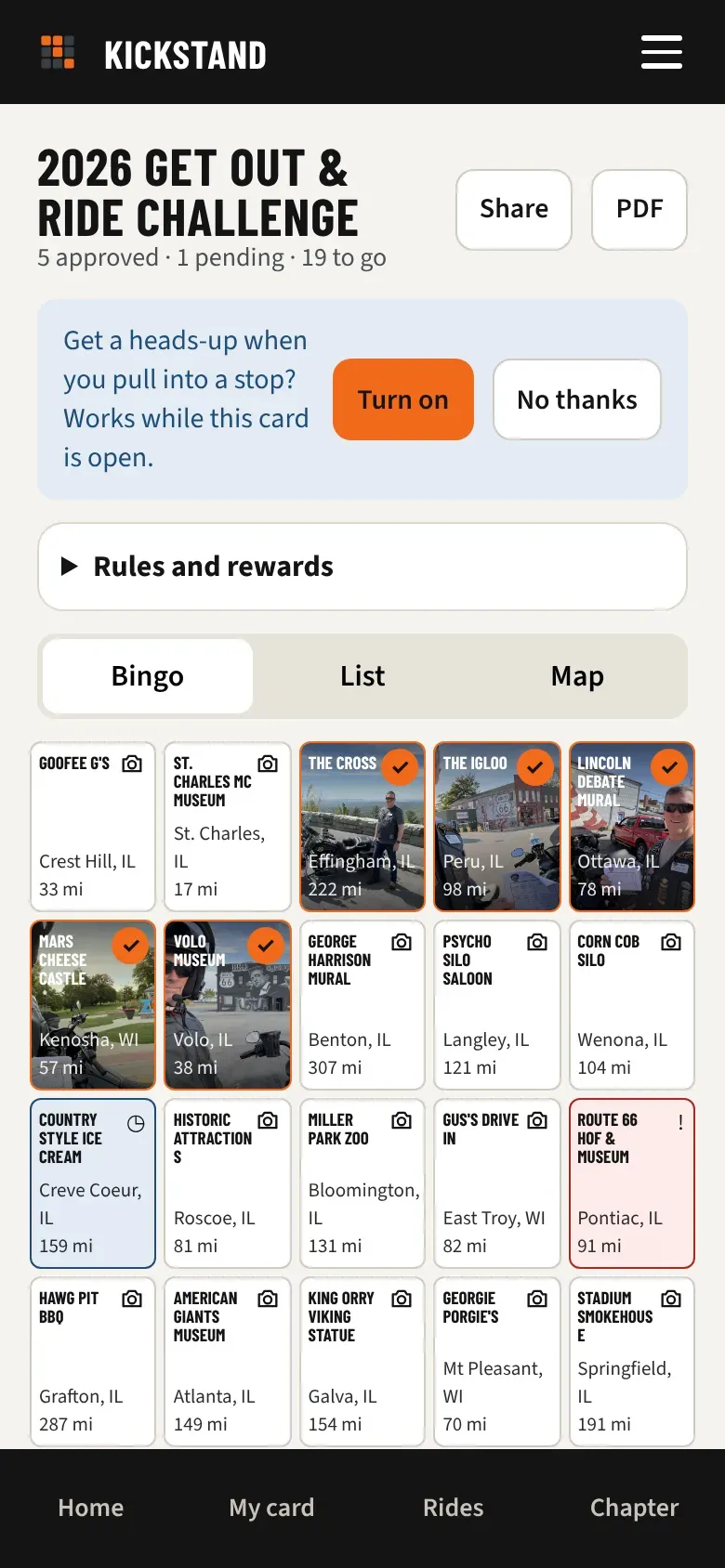
Share only appears when an officer turned the public page on. If you don’t see it, ask your chapter’s activities officer.
What the public page shows
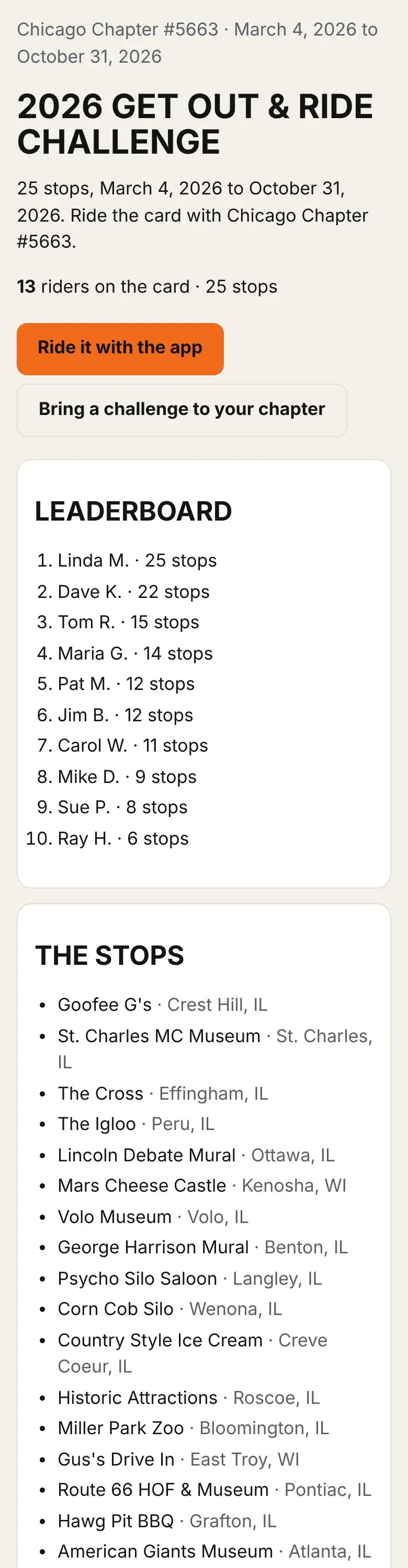
Section titled “What the public page shows”Anyone with the link can open it without signing in. The page always shows the chapter name, the dates, the challenge title, its description, and its picture if it has one. It has two buttons, Ride it with the app and Bring a challenge to your chapter. Your officer chooses whether it also shows:
- The stops, with their towns. They can hold the list back until the start date, which suits a poker run.
- How many riders are on the card.
- The top 10 leaderboard, ranked by approved stops.
Good to know
Section titled “Good to know”- The page never shows emails, riders’ photos, or anything about where riders are.
- Your name on the public leaderboard follows On leaderboards, show in your profile. If you chose Keep me off the public leaderboard (I still compete), you appear only as initials or a first name, whichever your officer picked.
- Only riders with at least one approved stop appear on the leaderboard.
- Public pages are for chapter challenges. National challenges don’t have one.
- Search engines are told to skip the page. People find it through your link.