National challenges and Dealer Visits
Along with your chapter’s challenge, Home can show H.O.G.’s national challenges, 50 Rides, One Nation and 15 for ’26, and Dealer Visits, where you stop in at Harley-Davidson dealers on your rides. There is nothing to join. You’re already in, and the first stop you log starts your count.
Log a stop
Section titled “Log a stop”- On Home, scroll to National challenges. Each card says something like “You’re in. 0 of 50 logged.”
- Tap See all stops, nearest first on the one you want.
- On the List tab, stops are sorted by distance from your chapter’s dealer, shown as “Nearest to” and its short name. Tap Use my location to sort from where you are instead. The line changes to “Nearest to you right now.”
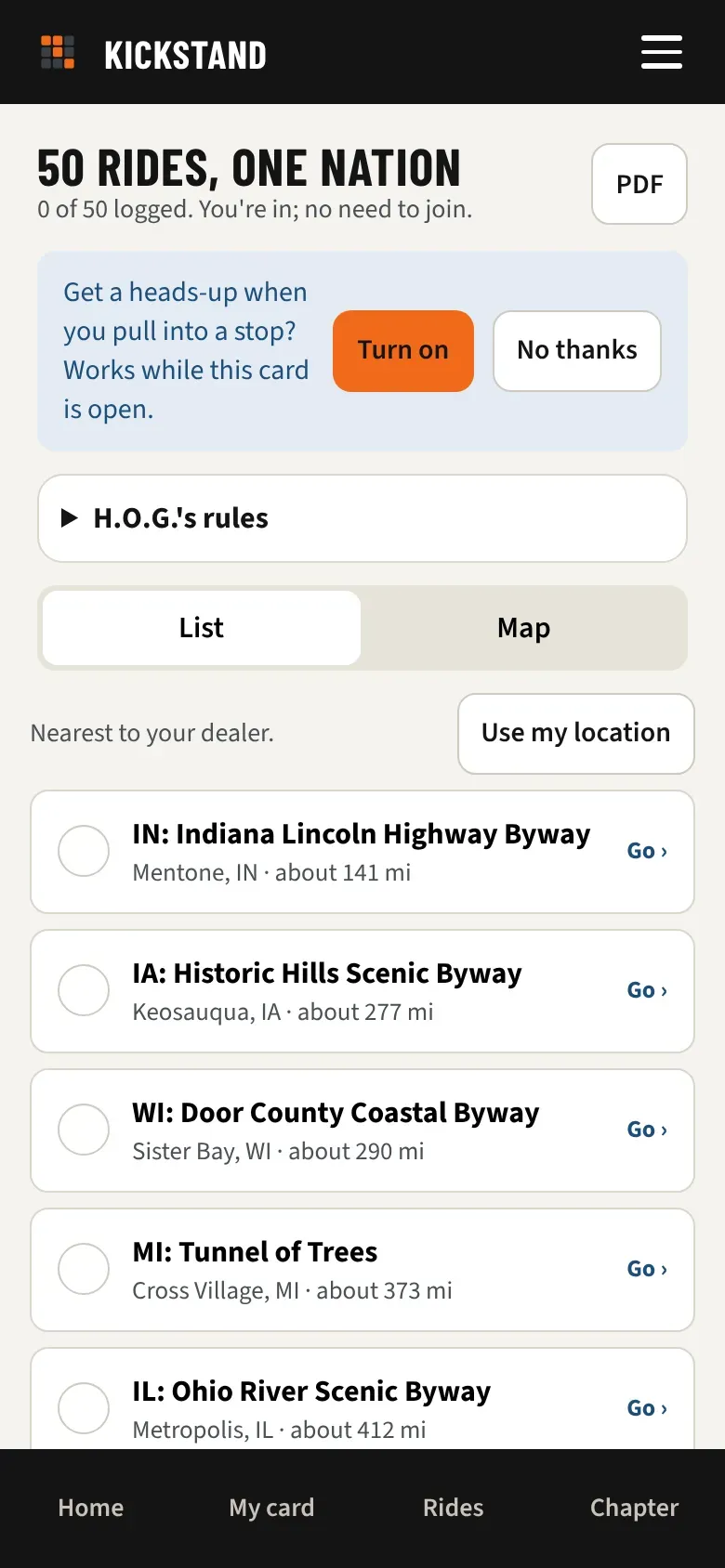
- Tap a stop. Stops you haven’t logged say Go ›. Stops you have logged show a check and Logged.
- Tap Directions to ride there. See Get directions to a stop.
- At the stop, tap Take photo or Choose from library. The first time, the app asks Use your photo’s location? Tap Allow or Not now.
- Tap Log this stop.
The stop counts right away, and the card’s count goes up. No reviewer looks at it, and there is no note box. The app then says “Remember to submit it to H.O.G. for credit.” and shows Submit on the H.O.G. site. You see this on 50 Rides, One Nation, 15 for ’26, and Dealer Visits.
Logging a stop in Kickstand keeps your own count. It does not send anything to H.O.G. To have it count there, submit it to H.O.G. yourself.
H.O.G.’s rules
Section titled “H.O.G.’s rules”Each national card has a H.O.G.’s rules box. Tap it to read the rules as the app has them, any reward note, and a link to H.O.G.’s official page. The page says to check it for the current rules. Kickstand keeps your “N of M logged” count. For what H.O.G. counts, go by H.O.G.’s rules.
Dealer Visits and H.O.G.’s Dealership Check-In Challenge
Section titled “Dealer Visits and H.O.G.’s Dealership Check-In Challenge”Dealer Visits is Kickstand’s own log of the Harley-Davidson dealers you stop at. It never resets. To log a dealer, take a photo of you and your bike at the dealer’s sign.
H.O.G. runs a different contest, its 2026 Dealership Check-In Challenge. It is separate from Dealer Visits and is entered at h-d.com/ride365. Its photos need more than ours do. For example, its rules say a current year cover of the Membership Guide must be clearly identifiable in each photo.
On the Dealer Visits card, open H.O.G.’s rules to read H.O.G.’s Official Rules for it as the app quotes them. The box covers how to enter, what each photo must show, how points are scored, and the prizes. Under it, a link to H.O.G.’s official page tells you to check that page for the current rules.
- Logging a dealer in Dealer Visits does not enter you in H.O.G.’s challenge. To go for H.O.G.’s points and prizes, take a photo that meets H.O.G.’s requirements and submit it to H.O.G. yourself.
- After you log a dealer, the Submit on the H.O.G. site button opens H.O.G.’s official page for the challenge.
- The Dealer Visits card on Home shows a reward line, and so does the rules box: “H.O.G.’s separate 2026 challenge: H.O.G. Ride 365® rewards start at 10 check-ins, and the Harley Owners Group member with the most dealer visits in a calendar year wins a prize valued at $2,000.”
- Your Kickstand count and H.O.G.’s count can differ. For what H.O.G. counts, go by H.O.G.’s rules.
Stops that are near your rides
Section titled “Stops that are near your rides”- In Plan my rides, a ride may show a Worth the detour box. It lists national stops and dealers near that ride, with “right on your way” or “9 mi off your route, about 18 mi extra”. Tap Add to put one into the ride. Remove appears beside it if you change your mind.
- National stops and dealers are counted separately, so dealers don’t crowd out national stops.
- On one of your chapter’s stops, a line like “Also nearby: Stop Name (50 Rides, One Nation), about 12 mi” links to the national stop.
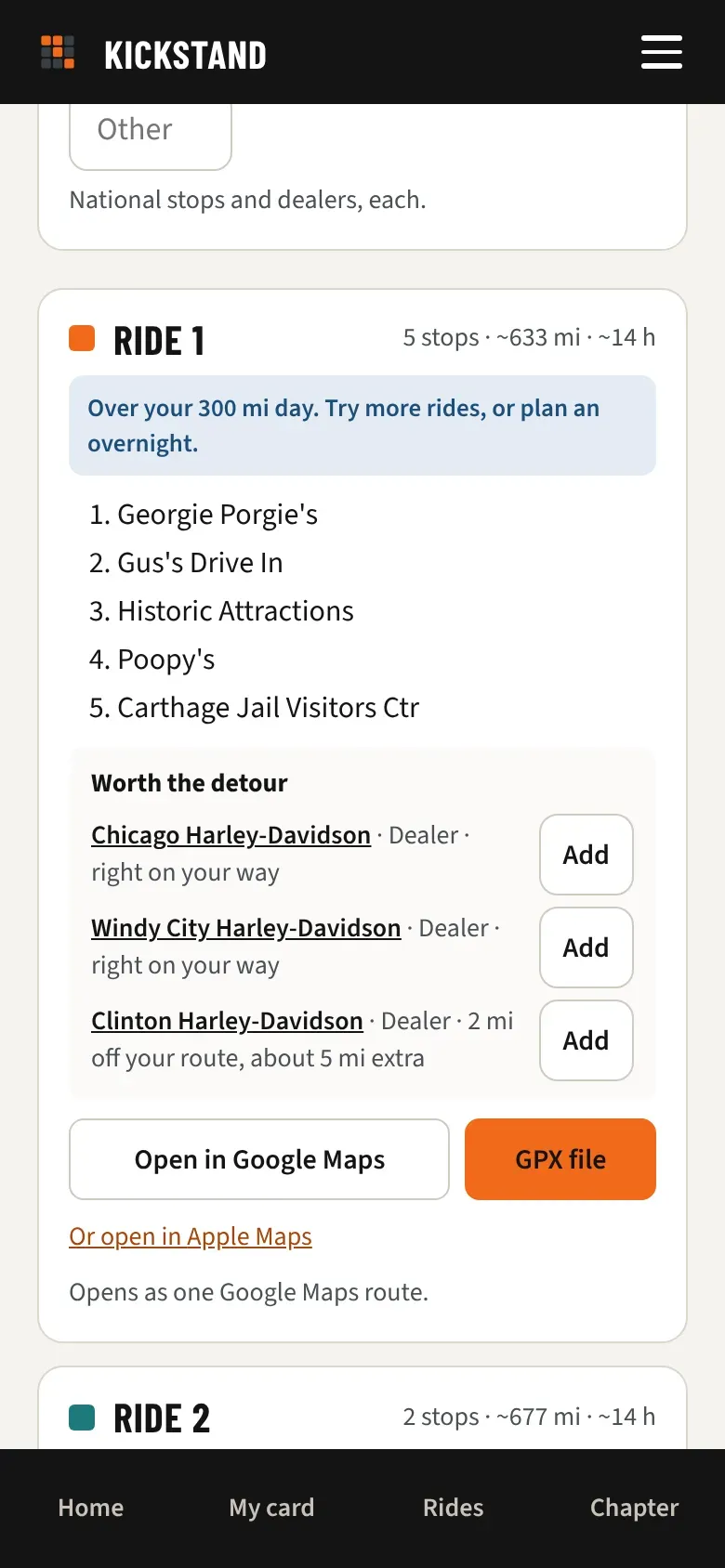
To change how far off your route to look (10, 20, 30, 50, or 75 mi) and how many to suggest per ride (1, 2, 3, 5, 8, or your own number up to 20), use Riding preferences in your profile, or the same choices in the planner. They start at 30 mi and 3.
Good to know
Section titled “Good to know”- The list shows the nearest 25 stops. Tap Show all N (N is the total) to see the rest. Dealer Visits has a lot of stops.
- 50 Rides and Dealer Visits say “Never resets”. 15 for ’26 shows the date it runs through.
- National challenges have no pace chart, so nobody is told they’re behind.
- Your officers can hide national challenges. When they do, the National challenges block on Home and the “Also nearby” lines go away.
- Rides, My card, and Chapter follow the last challenge you opened, national ones too. Tap Home to point them back at your chapter’s challenge.