Where to find your H.O.G. ID
Your H.O.G. ID is on your H.O.G. membership card. It’s a two-letter country code followed by numbers, like US1234567. Your chapter uses it to match you to your National H.O.G. membership.
Add your ID
Section titled “Add your ID”- Find your H.O.G. membership card.
- Open your profile, or tap Add it on the reminder on Home. If Home says “2 things to finish your profile,” tap that, then scroll up to the card. The H.O.G. ID card is right under your profile picture.
- Type your ID in the box.
- Tap Save. You’ll see “Saved.”
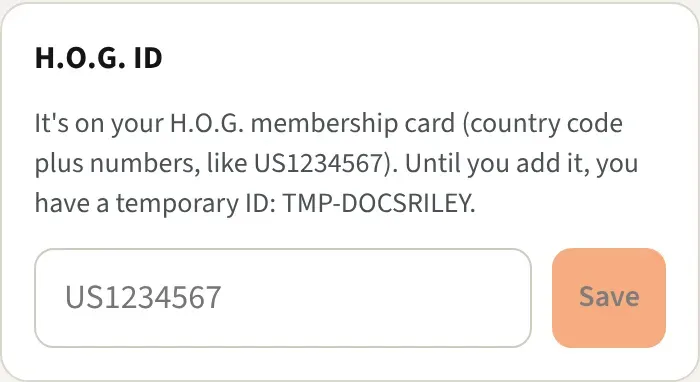
You can also enter it during the welcome steps the first time you sign in. The ID belongs to you, not to a chapter, so it stays the same in every chapter you join.
Until you add it
Section titled “Until you add it”Every new account gets a temporary ID that starts with TMP-, like TMP-3FA9C01B7E. The H.O.G. ID card shows it. Your real ID replaces it as soon as you save it.
Nothing waits on it. You can join challenges and send photos with the temporary ID. Home shows a reminder until your real ID is saved.
If the ID is already on another account
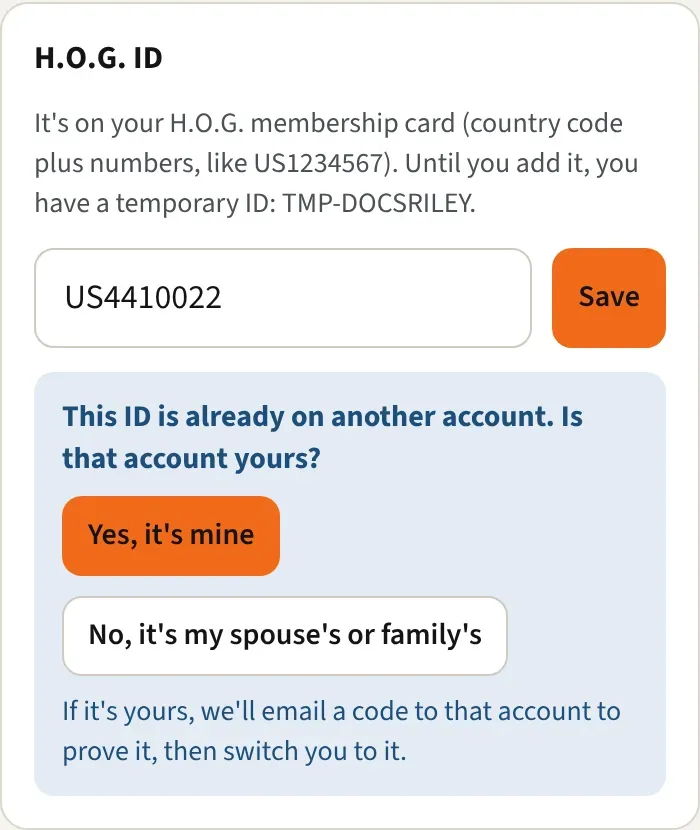
Section titled “If the ID is already on another account”Sometimes you’ll see “This ID is already on another account. Is that account yours?” The app never swaps or merges accounts on a typed number alone. Pick one:
If it’s yours (maybe you signed up once with a different email):
- Tap Yes, it’s mine. We email a code to that other account. The card shows a partly hidden address so you know which inbox to open.
- Type the code in the 6-digit code box and tap Switch. You’re signed in to the account that has the ID, and your profile opens. Your first account is left as it is. The code works for 10 minutes.
If it’s someone else’s: tap No, it’s my spouse’s or family’s. You keep your temporary ID, and your chapter’s officers can see that you share this number. Every member gets their own ID from H.O.G., spouses included, so add yours here when you have it.
Good to know
Section titled “Good to know”- Spaces, dashes, and lowercase letters are fine. The app tidies them up.
- Include the country code. It takes two letters followed by 5 to 12 numbers. Numbers alone won’t save.
- Don’t type a different number to get around the message. Pick one of the two answers above.
- During the welcome steps, a taken ID pops up a note and the steps carry on. Sort it out in your profile afterward.
- Your chapter’s officers can also enter your National ID for you.