Invite a board member who isn't on the app yet
Need a treasurer or director who hasn’t signed up yet? Send them an officer invite. They sign in, accept, and have officer access right away, with the position you chose. Only chapter officers can send invites. If the person is already a member, give them a position instead. See Officers, positions and election changeovers.
-
Open Chapter console from the menu (top right), then click Officers in the sidebar.
-
Scroll to Invite a board member who isn’t on the app yet.
-
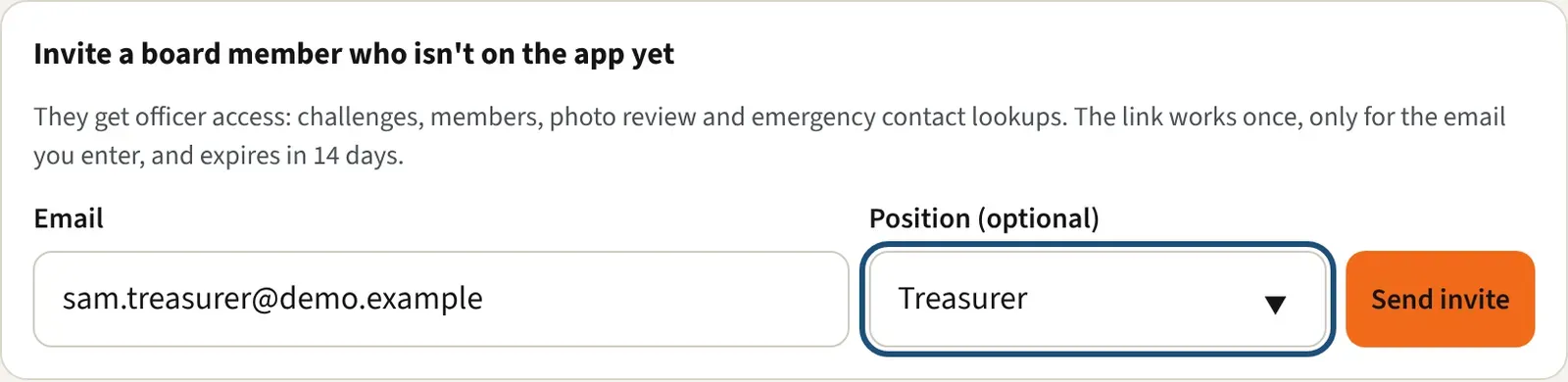
Enter their Email. This is the address they must sign in with.
-
Pick a Position (optional), or leave it empty.
-
Click Send invite. The app emails them and shows “Sent to” their address, with the invite link below.
-
Click Copy link if you also want to text it. If the email didn’t go out, the app says so, and you can copy the link and send it yourself.
Each invite appears in the list under the form with its status:
- Waiting: sent and not used. A Cancel button sits next to it. Cancelling stops the link working and takes the invite off the list.
- Accepted: shows who accepted it.
- Expired: 14 days passed. Send a new one.
What the invited person sees
Section titled “What the invited person sees”They open the link, which goes to the Kickstand app at /officer/ followed by a one-time code, and sign in.
- The page says “You’re invited to help run” your chapter, with the position. It also tells them officers can look up emergency contacts and that every lookup is logged.
- They click Accept and become an officer.
- They join your chapter if they aren’t in it yet, their position starts today, and they land in the Chapter console.
If they are signed in with a different email, the page says the invite was sent to another address (partly hidden) and shows the one they are signed in with. They sign out, open the link again, and sign in with the invited address. Or you send a new invite to the address they use. If they open an accepted link again, they see “You’re an officer of” your chapter and Open the Chapter console.
Good to know
Section titled “Good to know”- The link works once, only for the email you entered, and is good for 14 days.
- The link shows on your screen only right after you send. If you lose it, enter the same email again. A new invite replaces any waiting one for that address.
- “This invite has expired” and “This invite was cancelled” both tell them to ask the officer who sent it for a new one.
- A board position gives full officer access to the Chapter console. Choose the email carefully.